Table of Contents
Two-phase selection feature (1st selection / 2nd selection)
In this feature, some admission schemes on TAO use a two-phase selection process consisting of the 1st selection and the 2nd selection.
All applicants must first apply for the 1st selection. The university reviews the submitted documents and sets the screening results, and only applicants who are judged as successful can proceed to the 2nd selection. Eligible applicants will receive a notification with instructions for the 2nd selection application via email and messages on TAO after the results are announced.
The basic application procedure remains the same as before. For details on the application flow and screen operations, please refer to User's Guide for Applicants.
Two-phase selection application flow
The basic application process remains the same as before. The flow from application to result announcement in the two-phase selection is as follows:
Start application for the 1st selection ➡︎ Check screening results for the 1st selection (only successful applicants proceed to the 2nd selection) ➡︎ Start application for the 2nd selection ➡︎ Check screening results for the 2nd selection |
Each step is explained in order below.
【Start application for the 1st selection】
・Start your application from the admission scheme details page where the two-phase selection feature is enabled.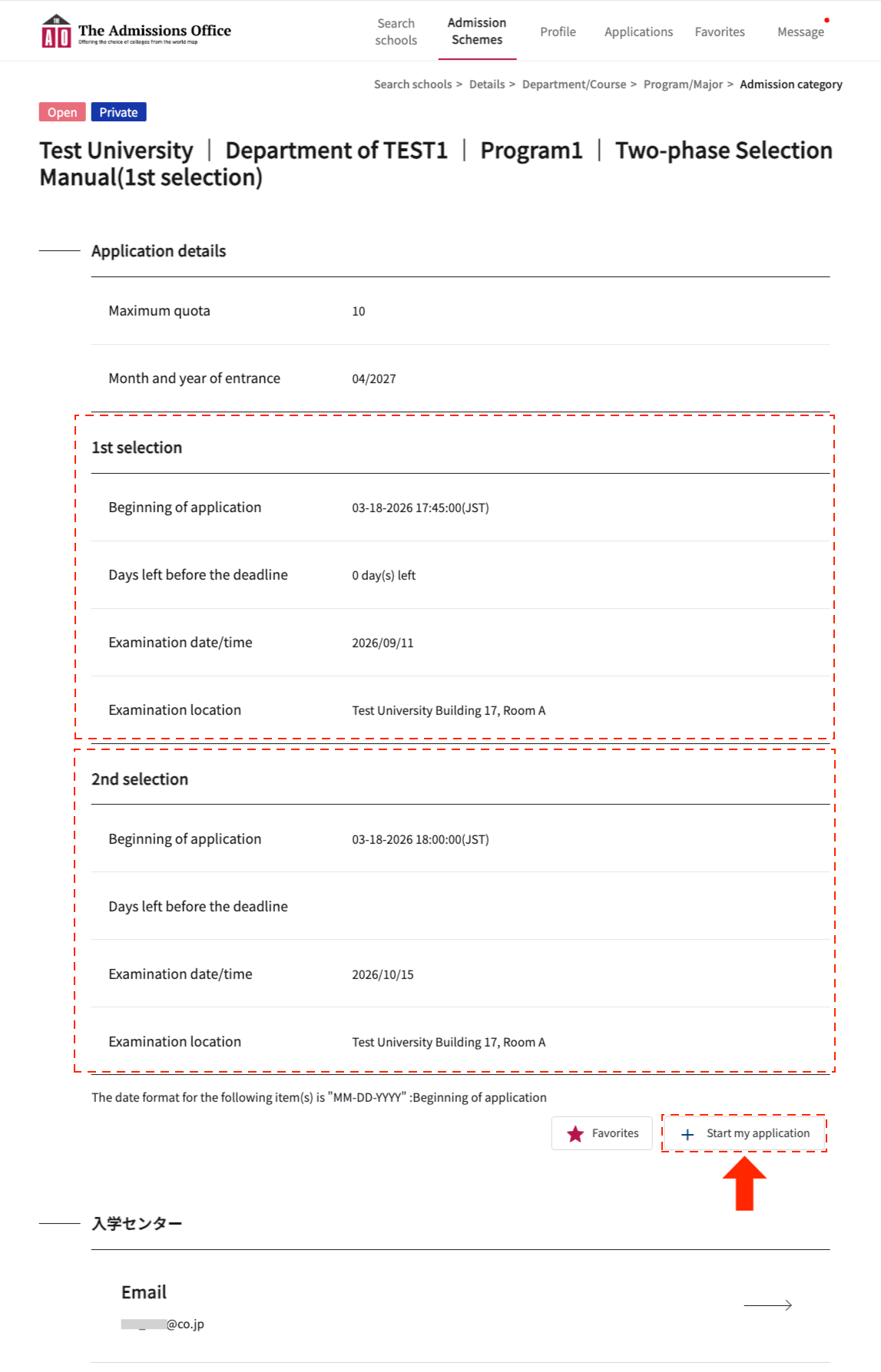
・Enter all required fields in the application documents and click the ”Complete application” button.
※ Please note that the application is not yet completed at this stage.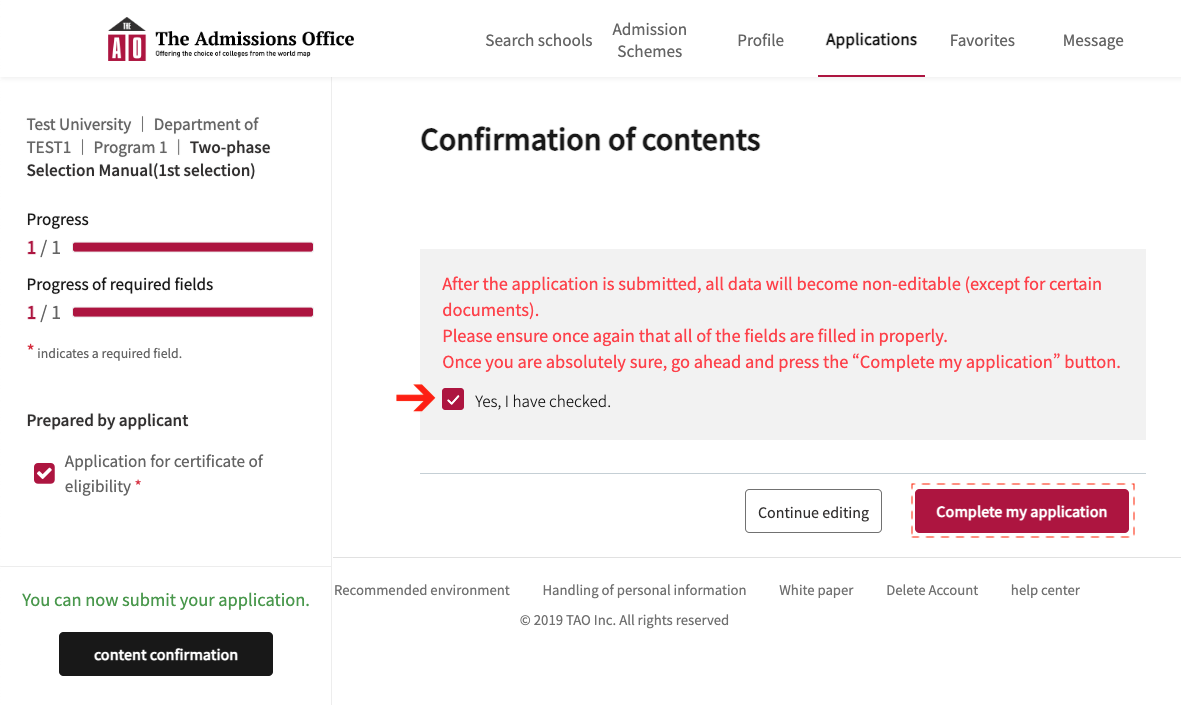
【Complete application for the 1st selection】
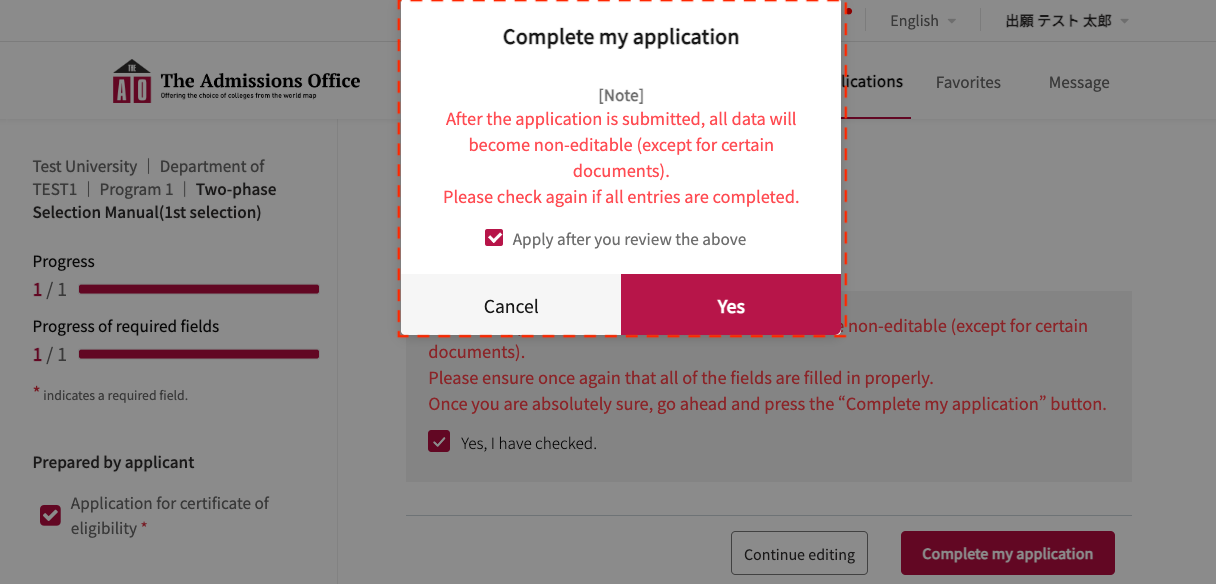
・Your application will be completed once you accept the confirmation modal regarding application completion.
・The university will review the documents submitted for the 1st selection and assign screening results. After the announcement date set by the university, a link to the 2nd selection will be available on the admission scheme details page as well as via email and messages.
【Check screening results for the 1st selection】
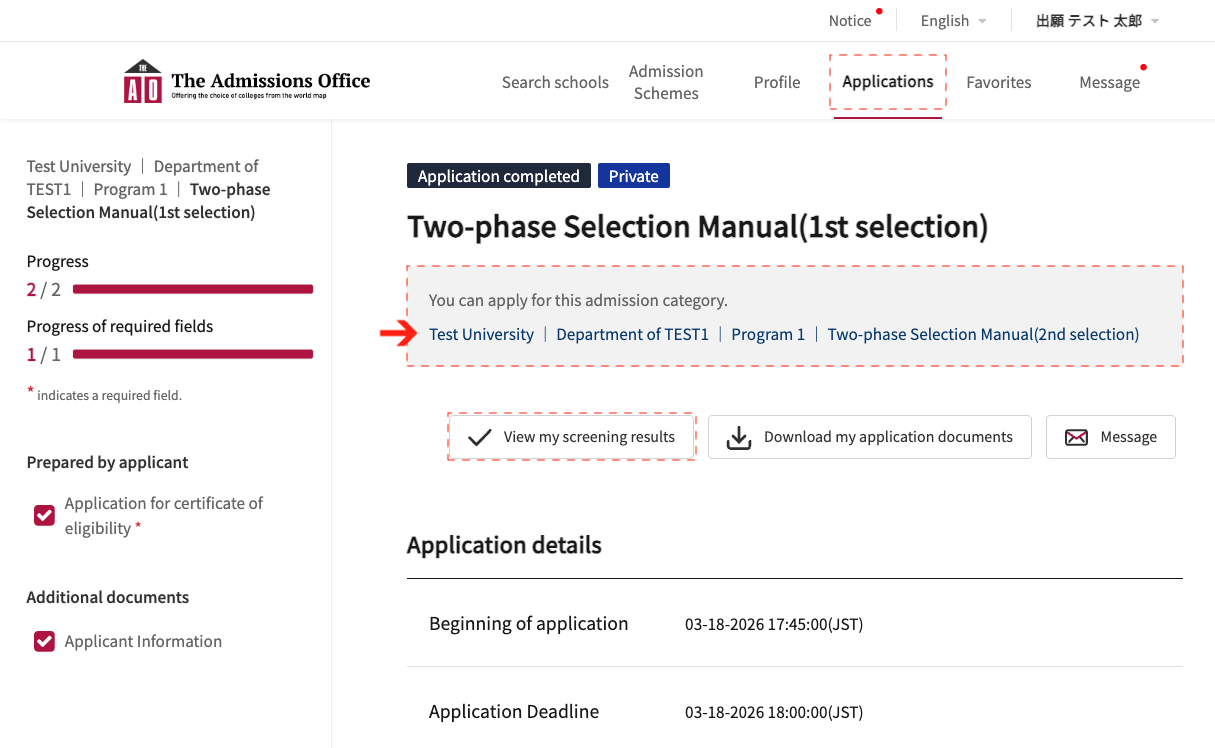
Applications > Application details
After the announcement date, a link to the 2nd selection and the ”View my screening results” button (for the 1st selection) will be displayed.
After the announcement date, an email titled [Notification: You Have Passed the First Selection] containing a link to the 2nd selection will be sent. By clicking the link, you can navigate to the admission scheme details page for the 2nd selection. This email will also be sent to unsuccessful applicants (both 1st and 2nd selection).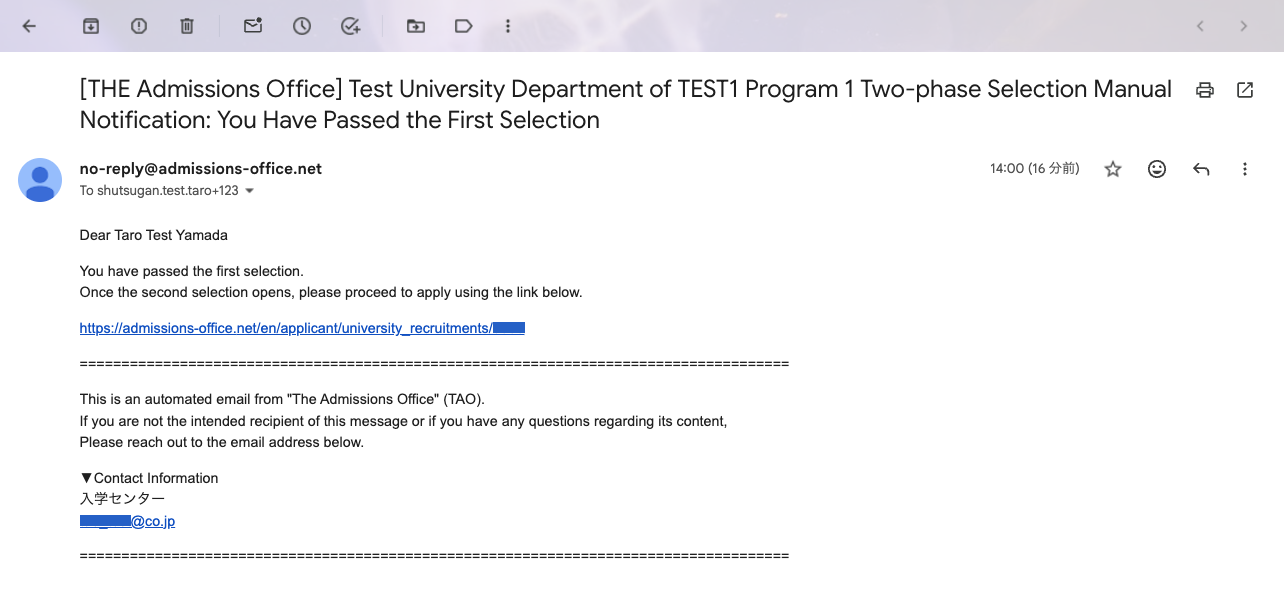
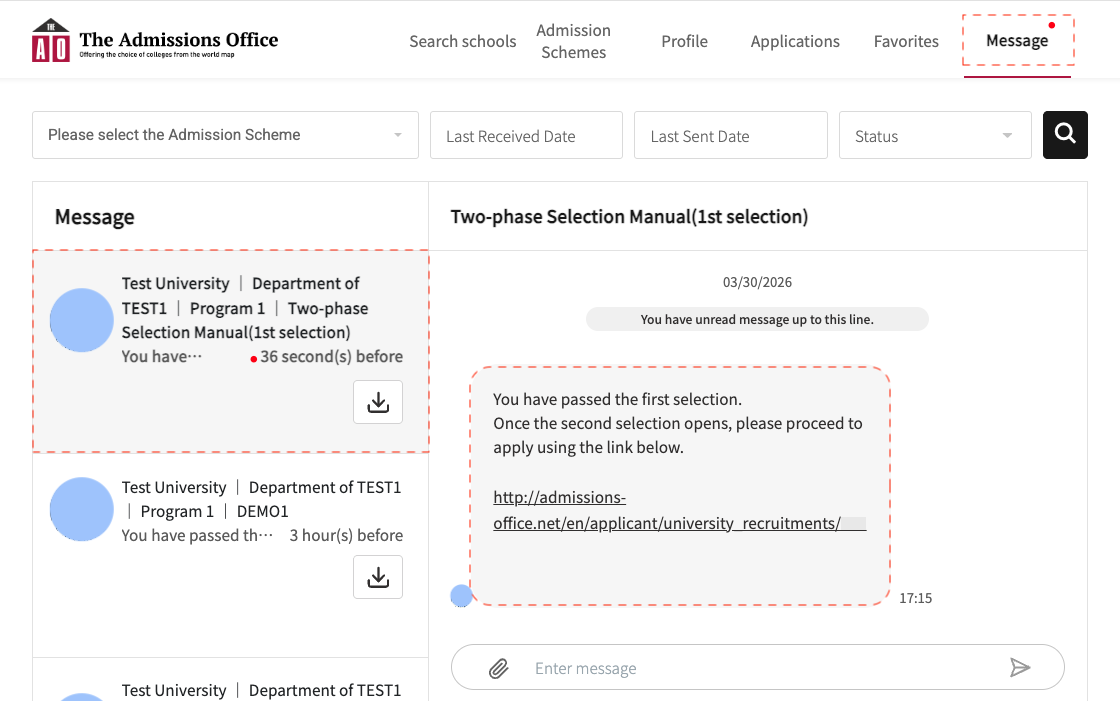
Message
After the announcement date, a notification containing a link to the 2nd selection will be sent. By clicking the link, you can navigate to the admission scheme details page for the 2nd selection.
※ Please note that no message notification will be sent to unsuccessful applicants (both 1st and 2nd selection). Please check via email or from the ”View my screening results” button on the application details page.
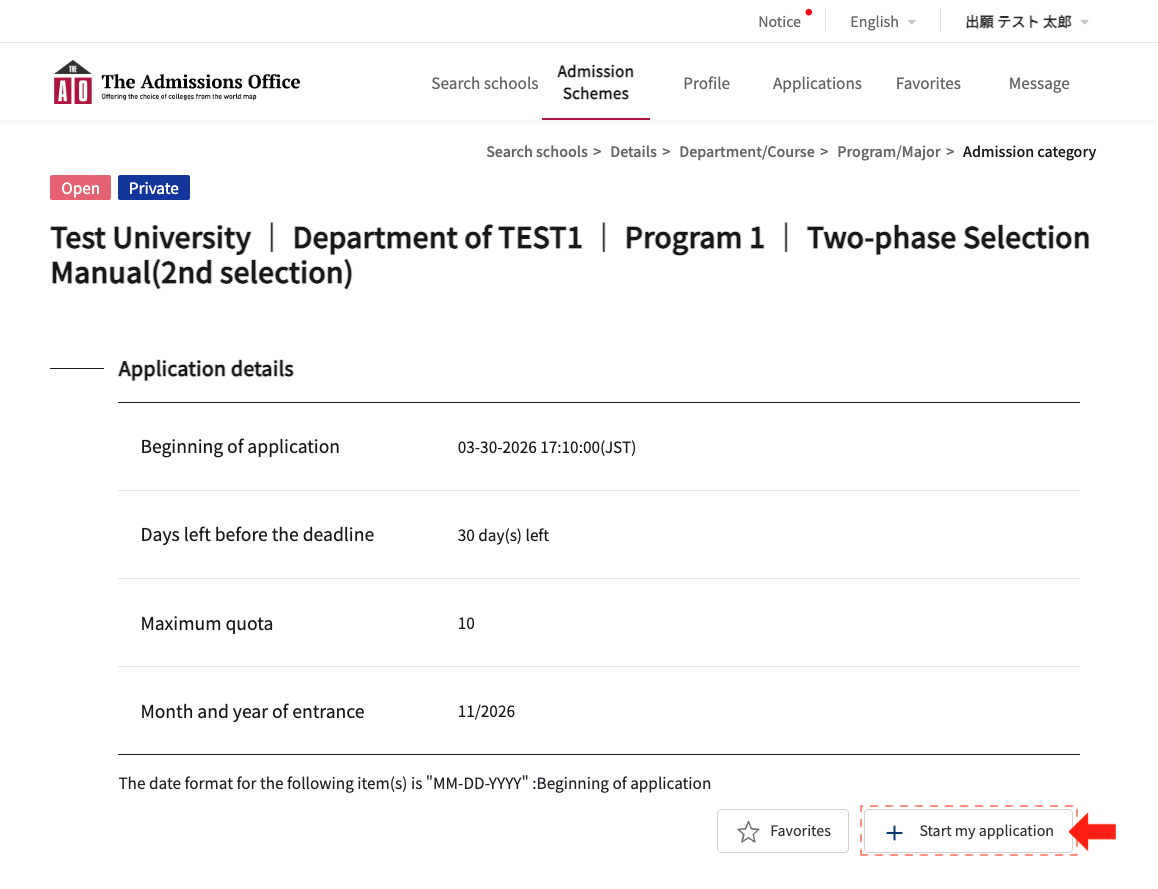
【Start application for the 2nd selection】
・Click the ”Start my application” button on the 2nd selection admission scheme details page to begin your application.
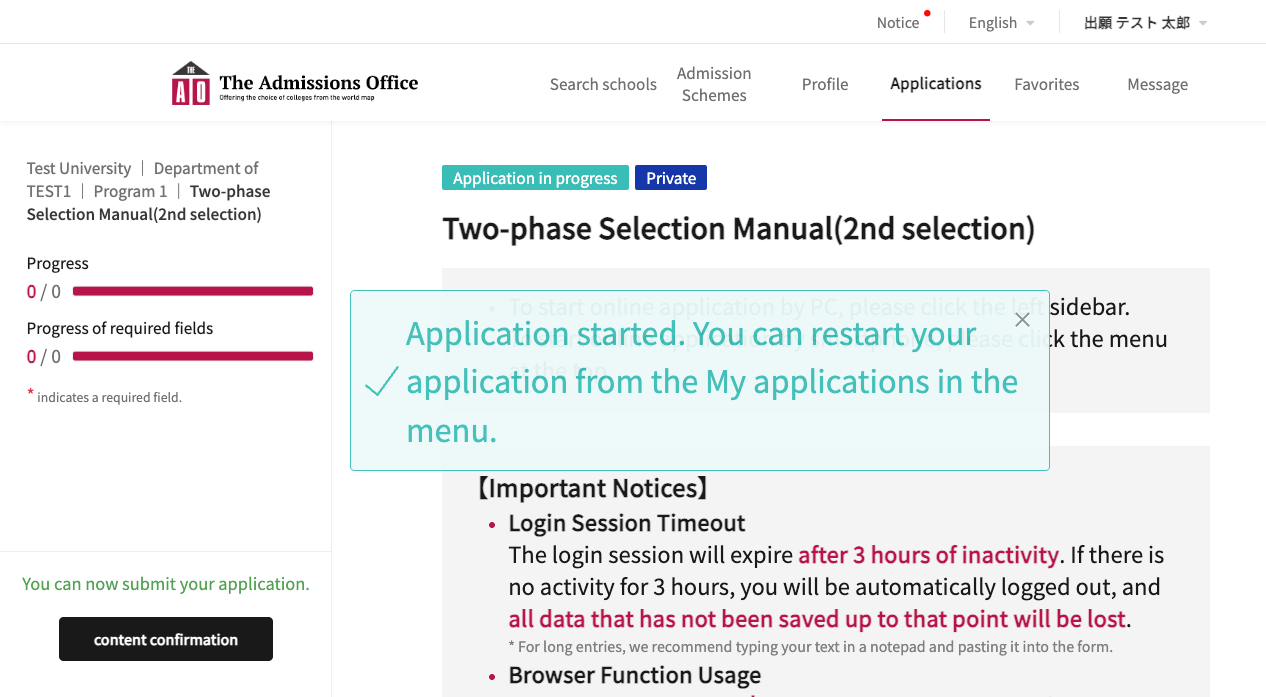
Subsequent steps for the 2nd selection (entering application documents, completing the application, and checking screening results) are the same as before and are therefore omitted.
This concludes the explanation of the two-phase selection feature (1st selection / 2nd selection).
Was this article helpful?
That’s Great!
Thank you for your feedback
Sorry! We couldn't be helpful
Thank you for your feedback
Feedback sent
We appreciate your effort and will try to fix the article